Real-time Singapore bus arrival timings with bus route maps.
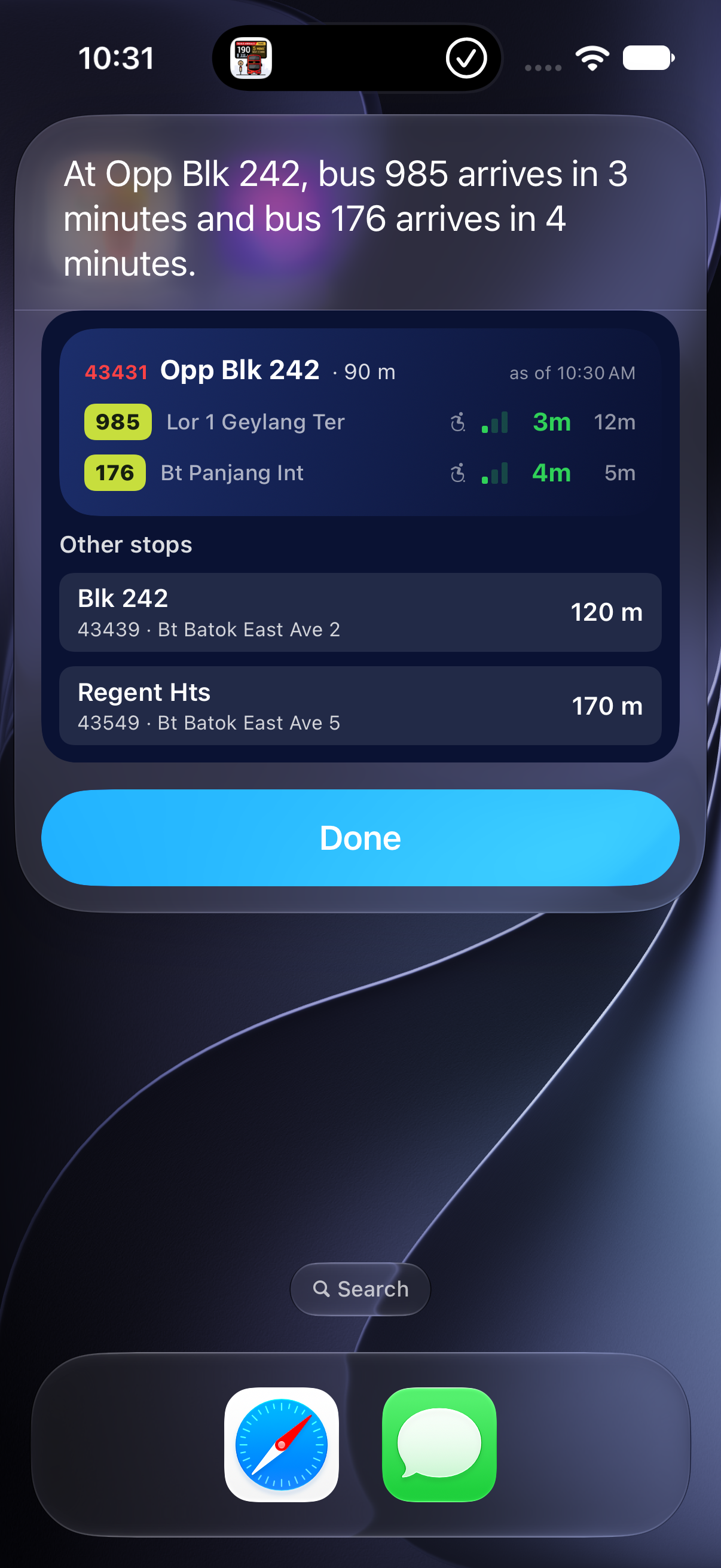
Check Singapore bus arrivals with Siri or Shortcuts on iOS 26 and later. See arrivals at a nearby stop, switch between nearby alternatives, or choose a regular stop and the bus services you want to check.
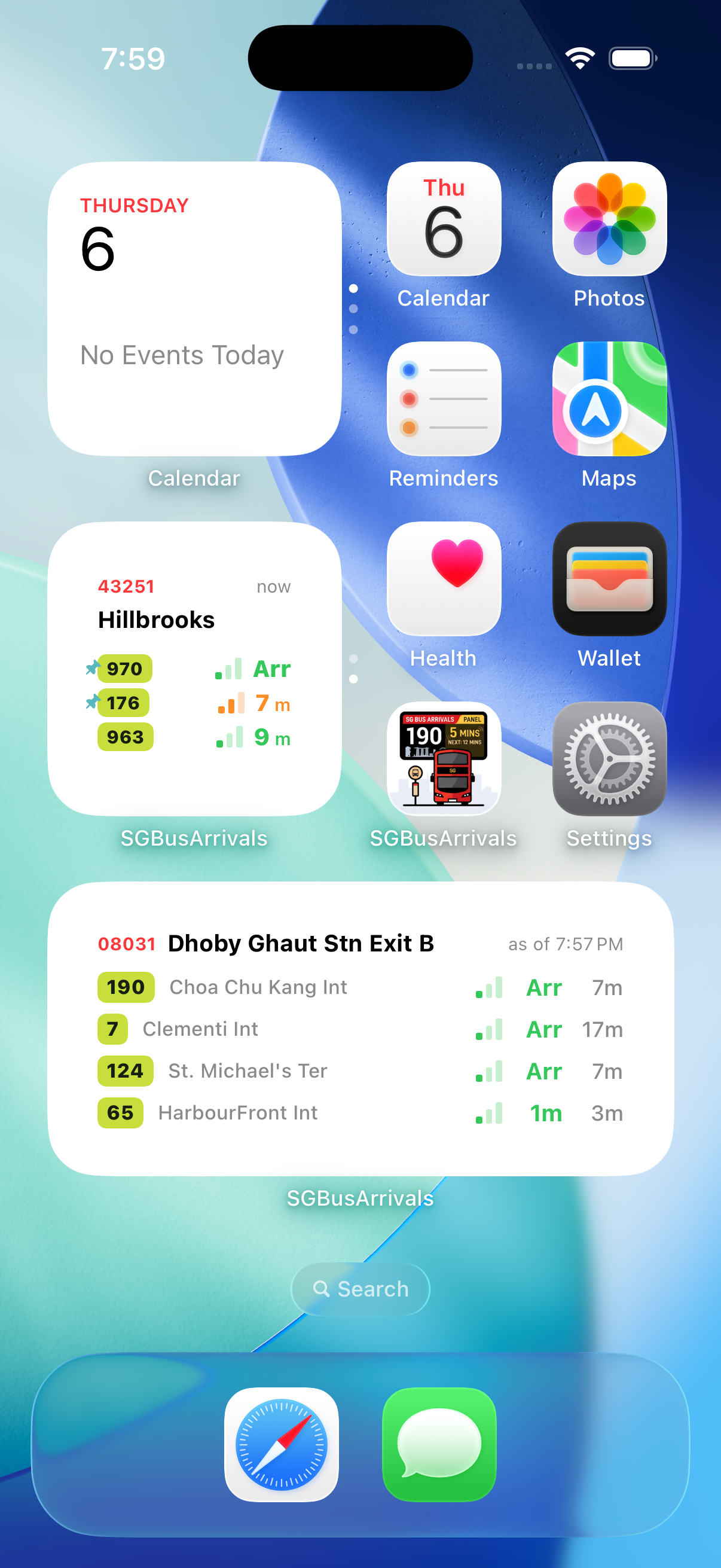
The arrivals panel shows a concise selection of services and up to two alternative nearby stops when available. Tap an alternative to switch the board, or tap the main arrivals card to open the displayed stop in the app.
Tap the gear button for Settings → Siri & Shortcuts → Add Starter Shortcut. Choose Save to Files, then open Nearby Bus Arrivals.shortcut to add it in Shortcuts. After adding it, ask Siri: “Nearby Bus Arrivals”. If you rename it, say the new name.
Follow the setup steps →Choose how close a stop must be to show arrivals automatically in the result panel, and how far to search. Defaults are under 150 m and under 250 m. Both are configurable; auto-open cannot exceed the search distance. These settings apply to the Siri/Shortcuts nearby action; auto-open does not bring the app to the foreground.
Adjust your nearby range →Use Get Bus Arrivals in Nearby or At a Stop mode. Choose several Bus Services to filter the result, or leave the selection empty for all returned services in the structured output. The visual card shows a concise subset.
Create a fixed-stop shortcut →Also in version 1.2.0: improved recovery of a widget’s selected stop after app updates. Multiple widgets of the same size may need their stops reselected; recovery does not preserve data after uninstalling. Widget guide →
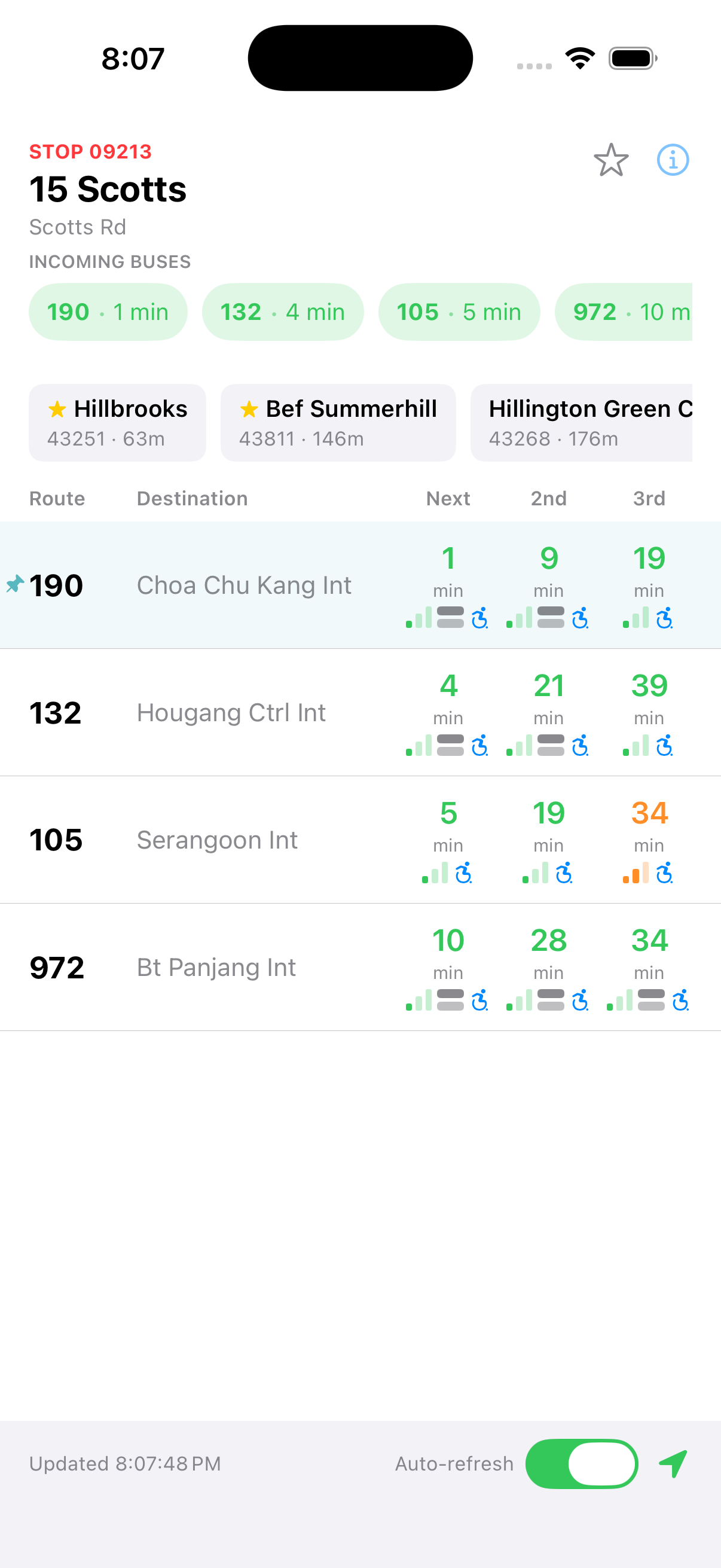
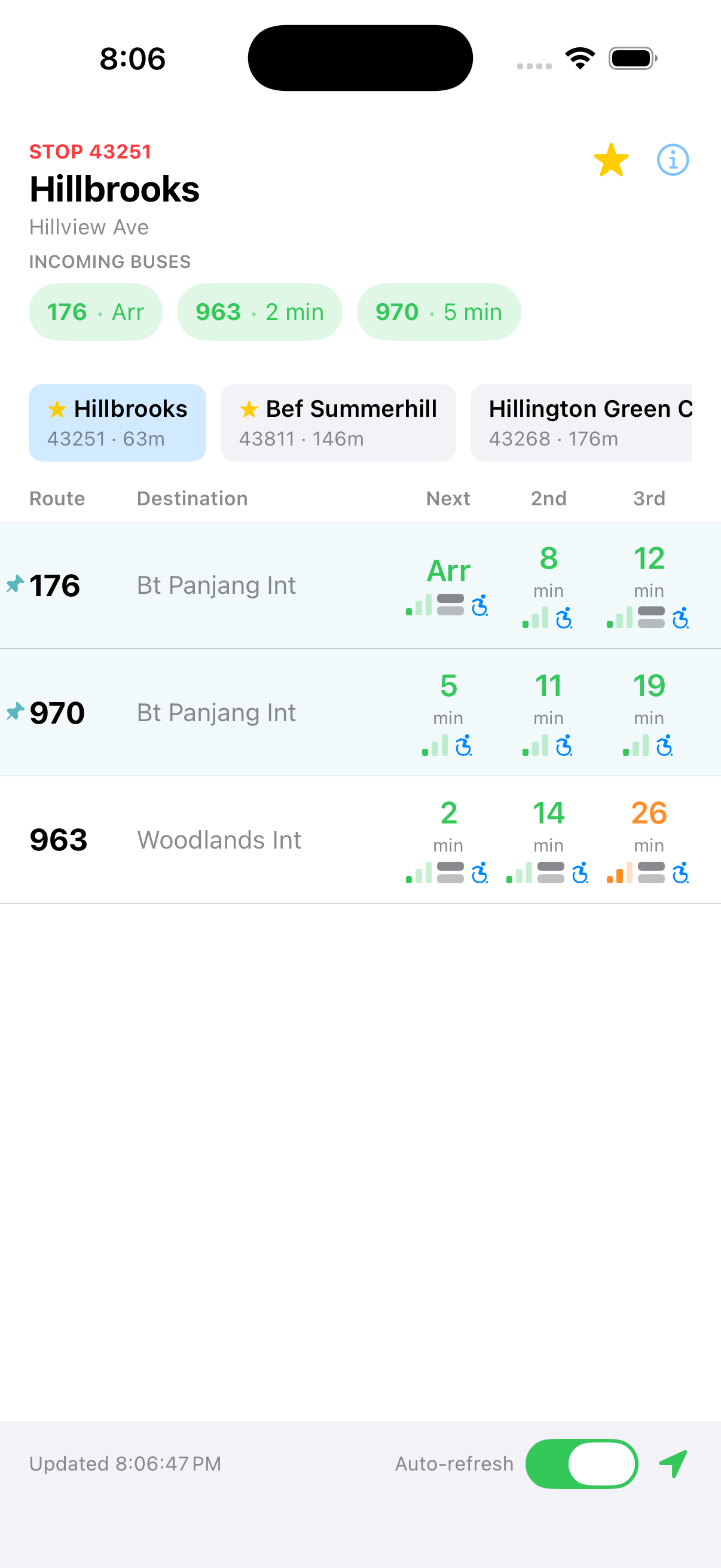
See the next buses at any stop, refreshed every 30 seconds straight from LTA's official feed.
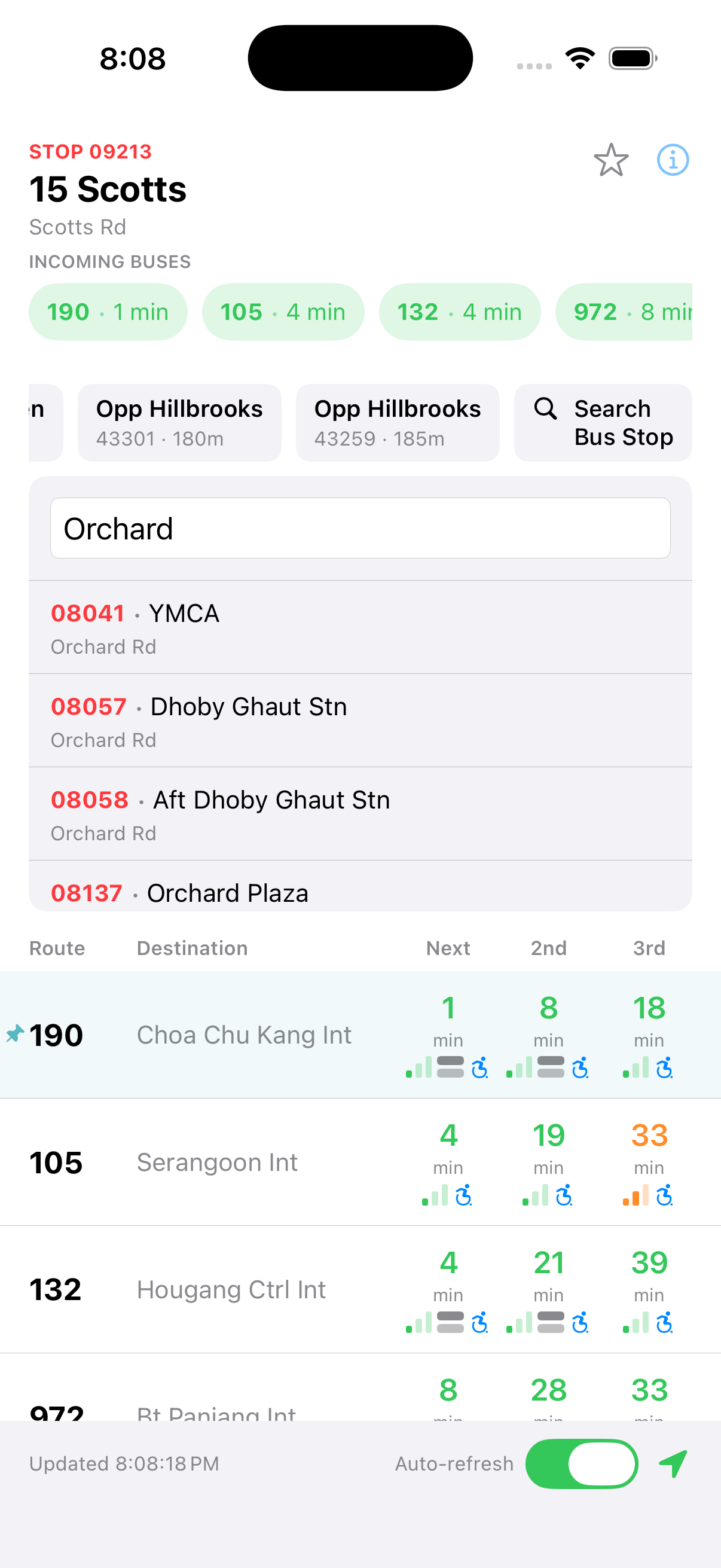
Quickly find the bus stops closest to your current location.
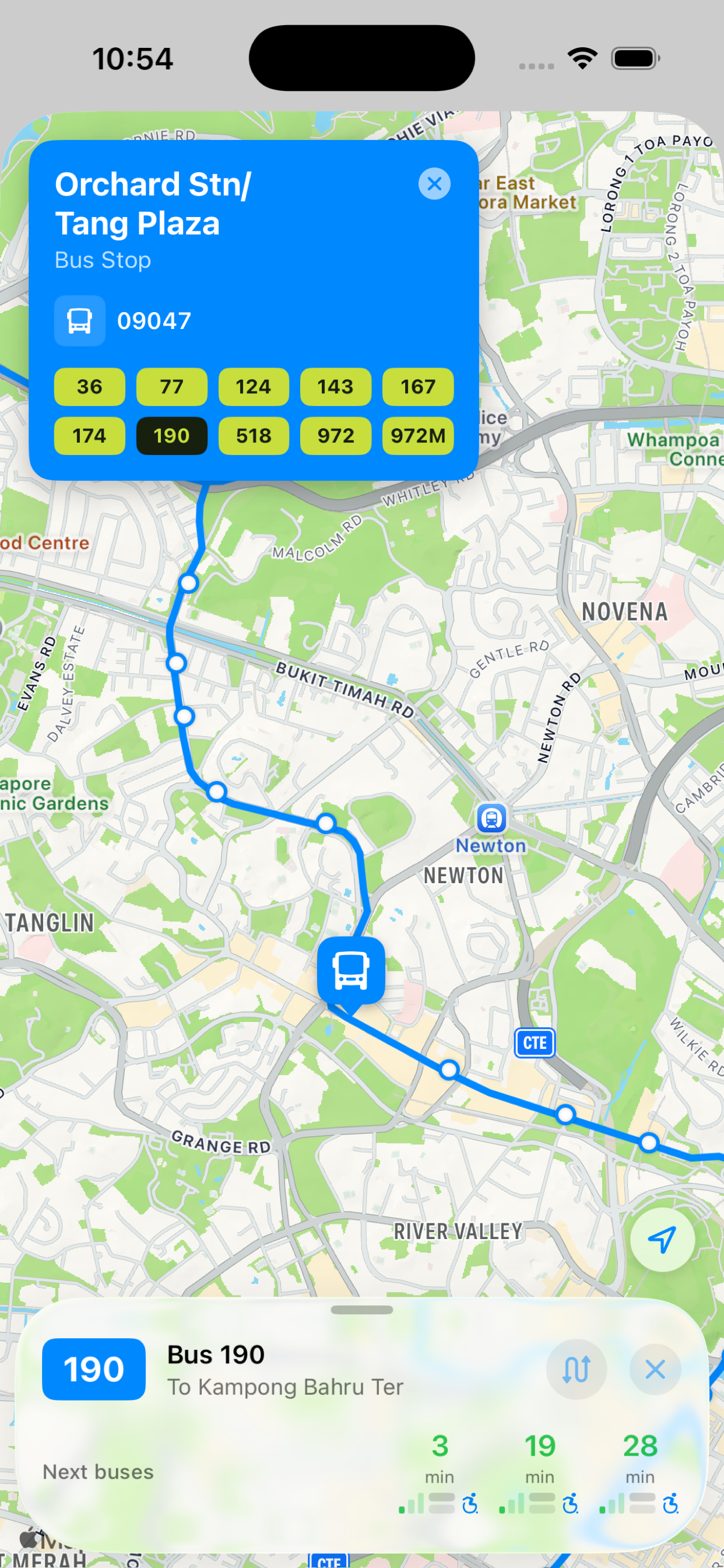
View a bus's full route on a map, with stops and upcoming arrival times, so you always know where it's headed.
Add a favourite stop to your Home Screen and see live arrivals and crowding without opening the app.
It's built to answer one thing fast: when's your next bus? Everything you need is a tap or two away the moment you open it.
Found a bug, have a feature request, or a bus stop that looks wrong? Reach out and we'll get back to you.
If SG Bus Arrivals saved you a wait at the bus stop, a coffee (well, kopi-o-kosong) is always appreciated.
See the full user guide, it walks through reading the arrival board, searching stops, pinning routes, and the route map, and can be saved as a PDF.
Location is only used on your device to sort bus stops by distance so the nearest ones show up first. It's never sent anywhere. You can deny it and still search for any stop by code, name, or road.
Yes. Live arrival timings are fetched in real time, so the app needs a connection to show them.
LTA DataMall occasionally doesn't report a bus's location (e.g. it's off-route or its GPS unit is temporarily offline). The app shows exactly what LTA reports, a missing time isn't a bug in the app.
Favourite a stop in the app, then from your Home Screen long-press an empty area, tap the + button, search for "SG Bus Arrivals", add it, and choose your favourite stop. It refreshes roughly every 5 minutes and jumps straight to that stop when tapped.