
1Getting started
Just open the site, there's nothing to sign up for and nothing to download. On your first visit you'll see the mall & building carparks view, listing live lots available across Singapore.
New to this? Watch the how to use this site video for a quick walkthrough.
2Reading the carpark list
Every carpark gets one row in the table:
- Location: the carpark's name (or block/street for HDB carparks). Tap it to view the carpark on a map.
- Lots Available: the number of free lots reported right now.
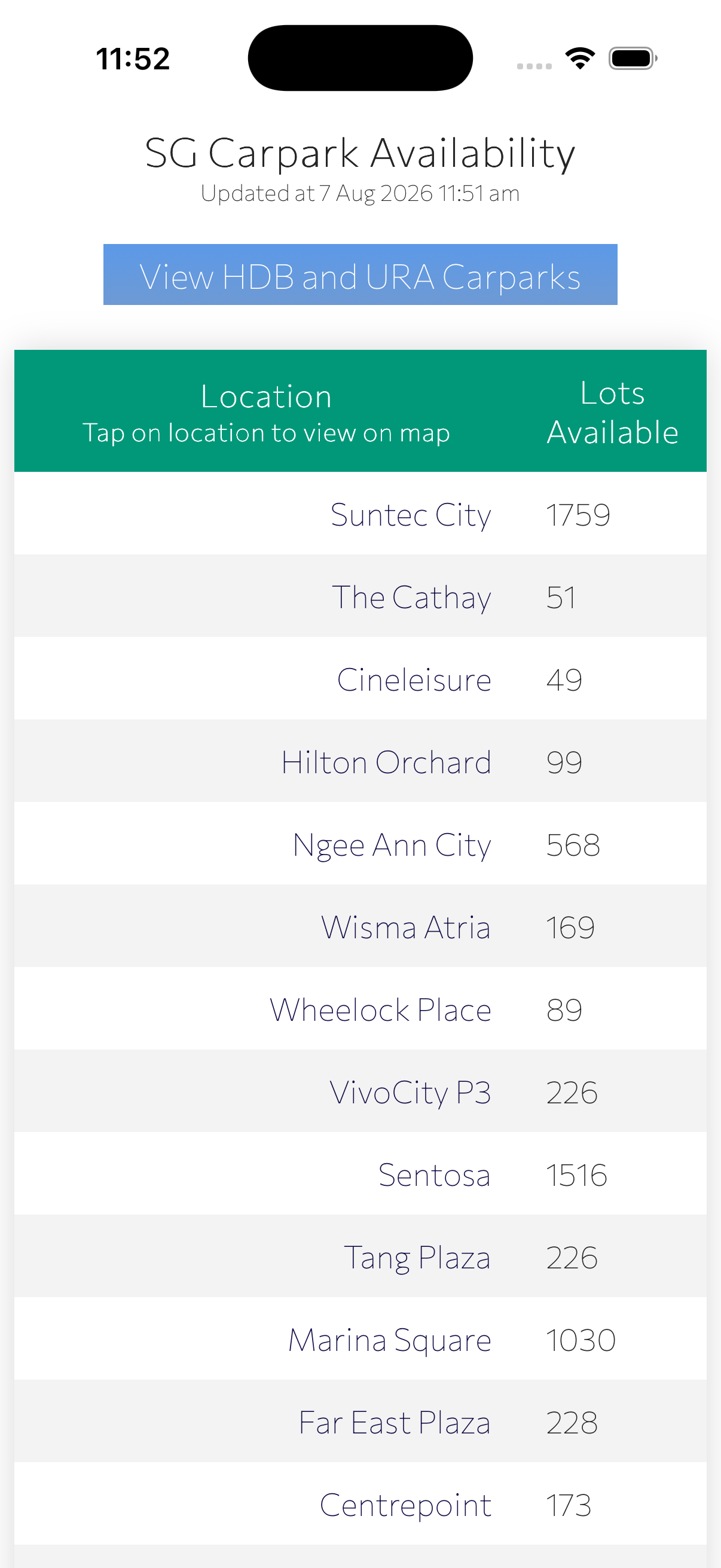
The page header shows when the data was last updated.
3Switching between carpark types
Use the buttons above the table to switch views:
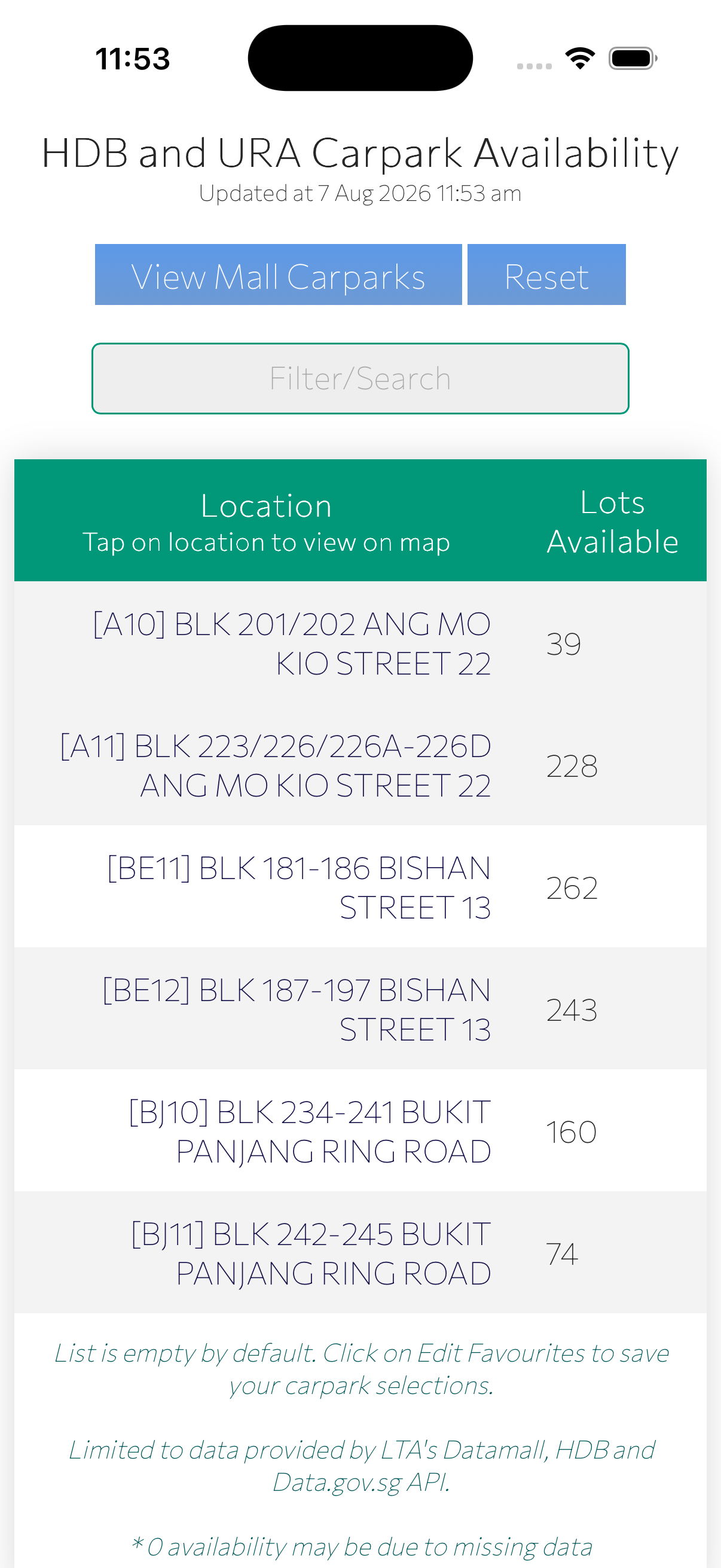
- View HDB and URA Carparks: switches from mall/building carparks to HDB and URA carparks.
- View Mall Carparks: switches back to mall and building carparks.
- Reset: clears any filter/search and returns the list to its default order.
4Filtering & searching
Type into the Filter/Search box to narrow the list to matching carparks, handy on the longer HDB & URA list. Tap Reset to clear it.
5Viewing a carpark on the map
Tap a carpark's name in the Location column to open its location on a map, useful for checking exactly where the entrance is before you drive over.
6Choosing your favourites
Tap Edit Favourites to open the favourites screen, then tick the checkbox next to any carpark you want to save. Tick again to remove it.
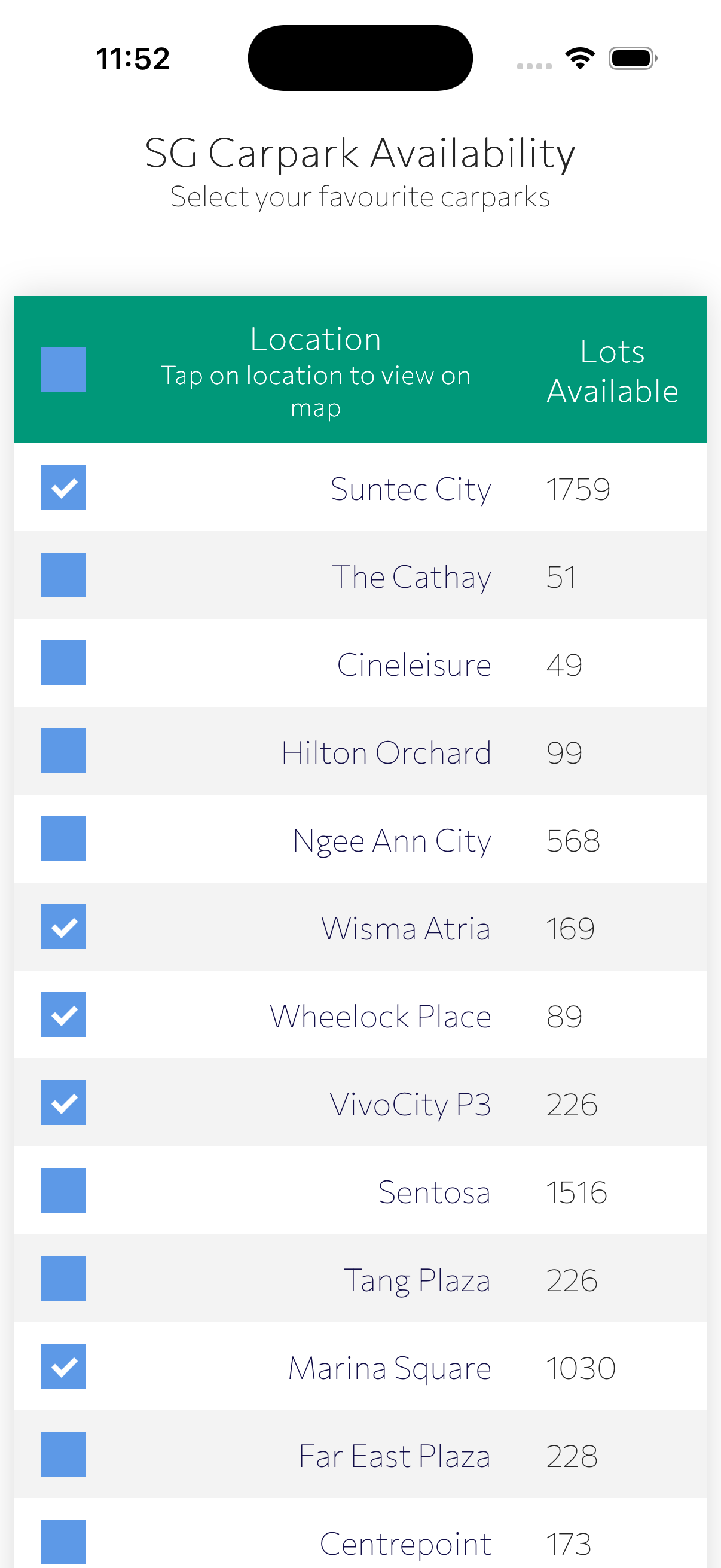
Saved locally. Favourites are stored in your browser's local storage, on your device only, never sent anywhere.
7The favourites-only view
Once you've saved favourites, the site opens straight to just those carparks, so there's less to scroll past.
- All carparks: shows the full list again.
- Edit Favourites: jump back to the favourites screen to add or remove carparks.
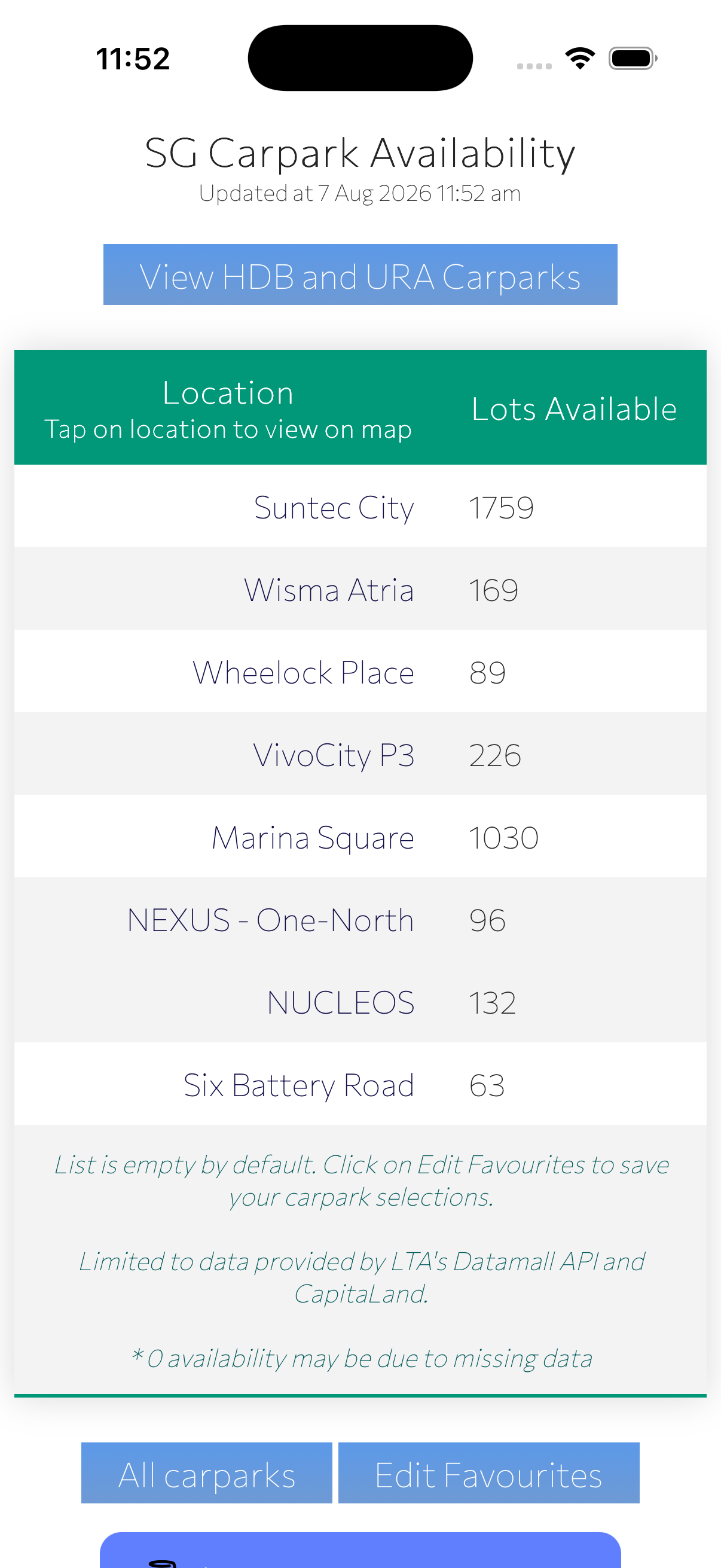
List is empty by default. Until you save at least one favourite, the site shows the full carpark list every time.
8Adding it to your Home Screen
For one-tap access, add the site to your phone's Home Screen so it opens like an app.
- Open the site in your browser (Safari on iPhone/iPad).
- Tap the Share button, then choose Add to Home Screen.
- Confirm the name and tap Add.
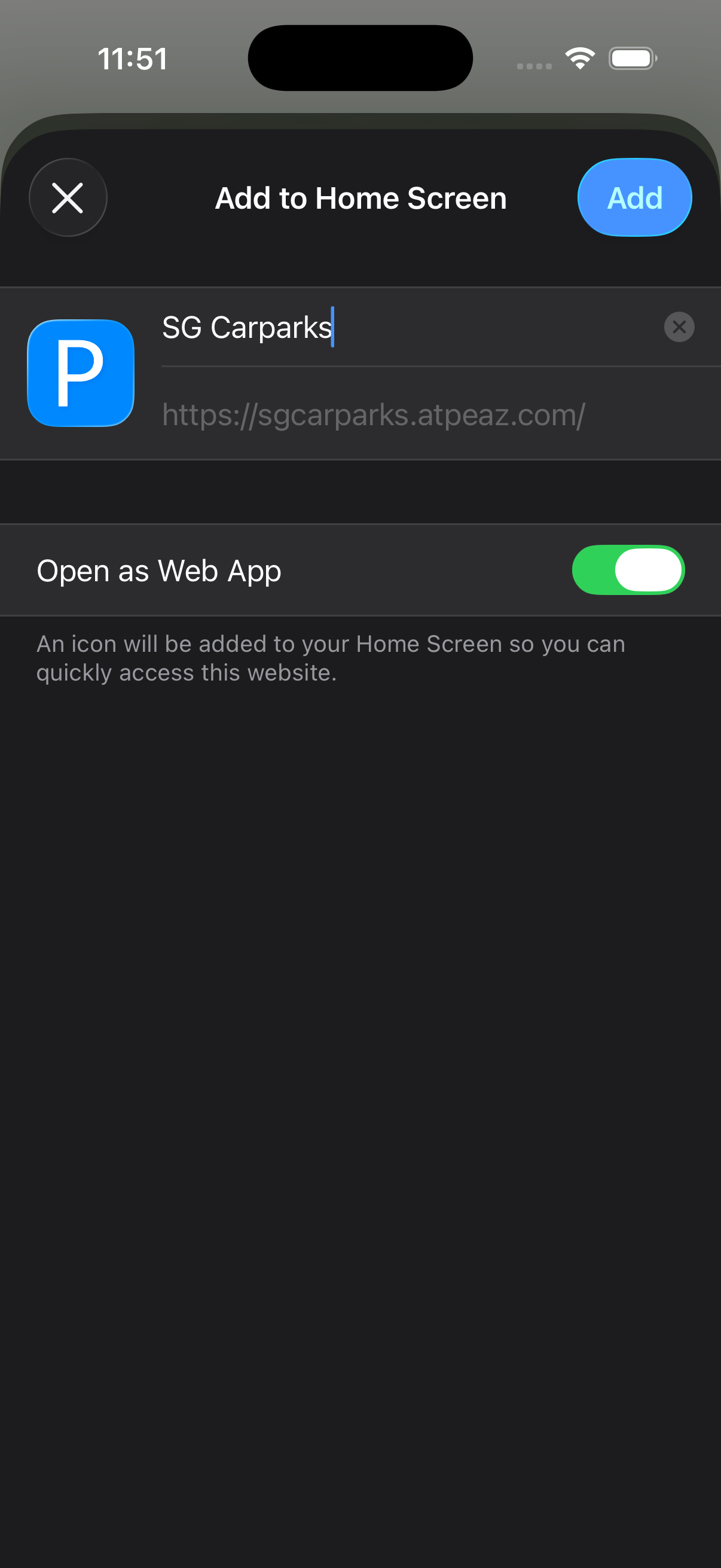
It'll launch in its own window without browser tabs or address bars, just like a regular app.
9Data sources & refresh
Live availability is sourced from LTA DataMall, CapitaLand JustPark, and Data.gov.sg. Reload the page any time to fetch the latest figures.
10Tips & troubleshooting
A carpark shows 0 lots available
This can mean the carpark is genuinely full, but it can also happen when the source feed isn't reporting data for that carpark. Check back after the next refresh.
My favourites disappeared
Favourites live in your browser's local storage. Some browsers purge this data periodically, especially after a while without a visit, so an occasional reset is expected. There's no account to recover them from.
The list looks out of date
Reload the page to pull the latest figures, the header's "Updated at" time tells you how fresh the current list is.
I only care about a few carparks
Save them as favourites (see section 6) so the site opens straight to just those from now on.