← All Apps
PaxSpace app icon

PaxSpace

A calendar-first room booking platform built for parishes and shared spaces. Recurring bookings, approvals, room clusters, and access control, all in one place.

🔒 Private release 📅 Recurring bookings ✅ Approval workflow 🏛️ Built for parishes
Enquire about access → This is currently a private release build. Reach out below to find out more.
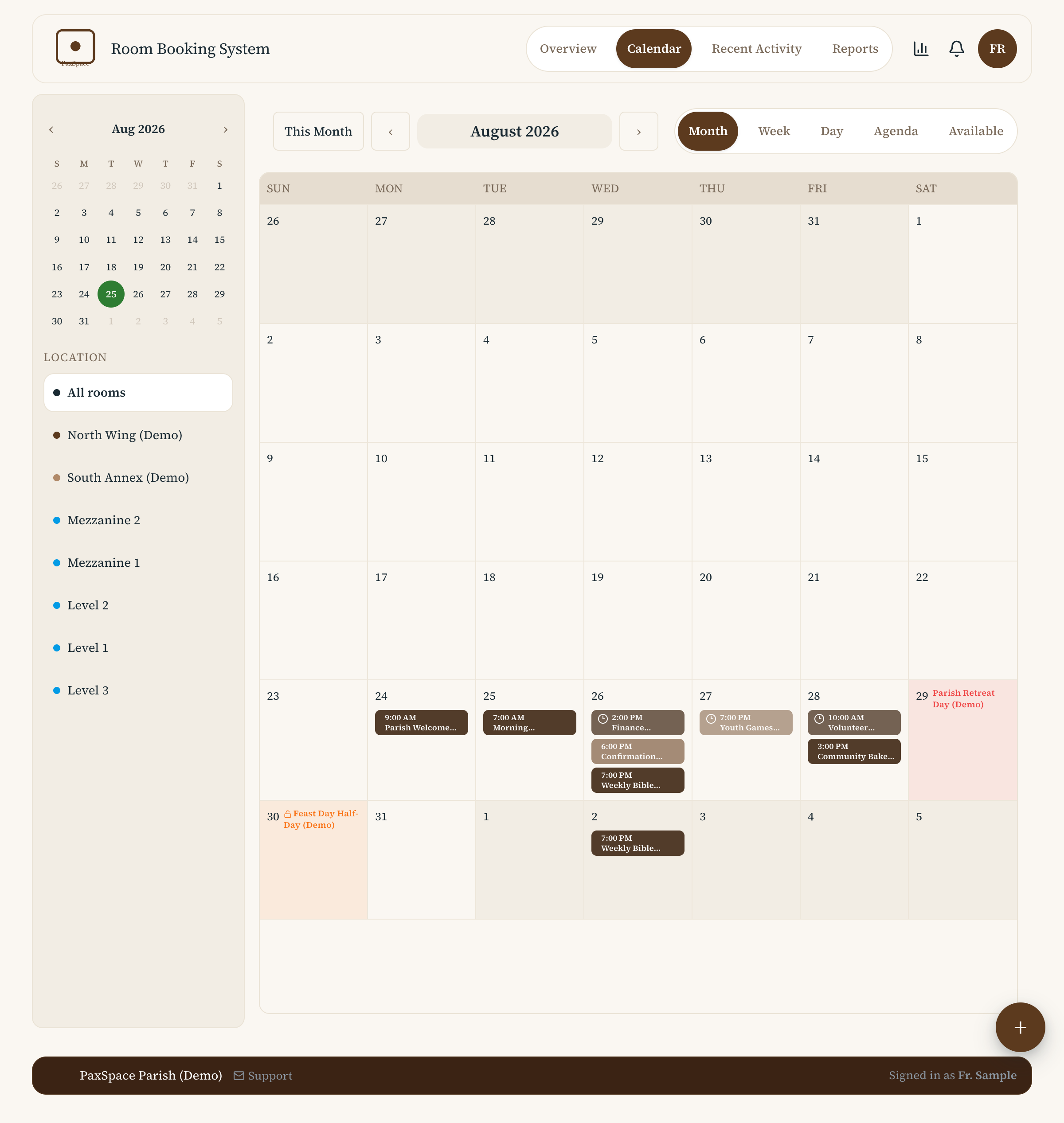
Month calendar view with colour-coded room bookings
Calendar, at a glance
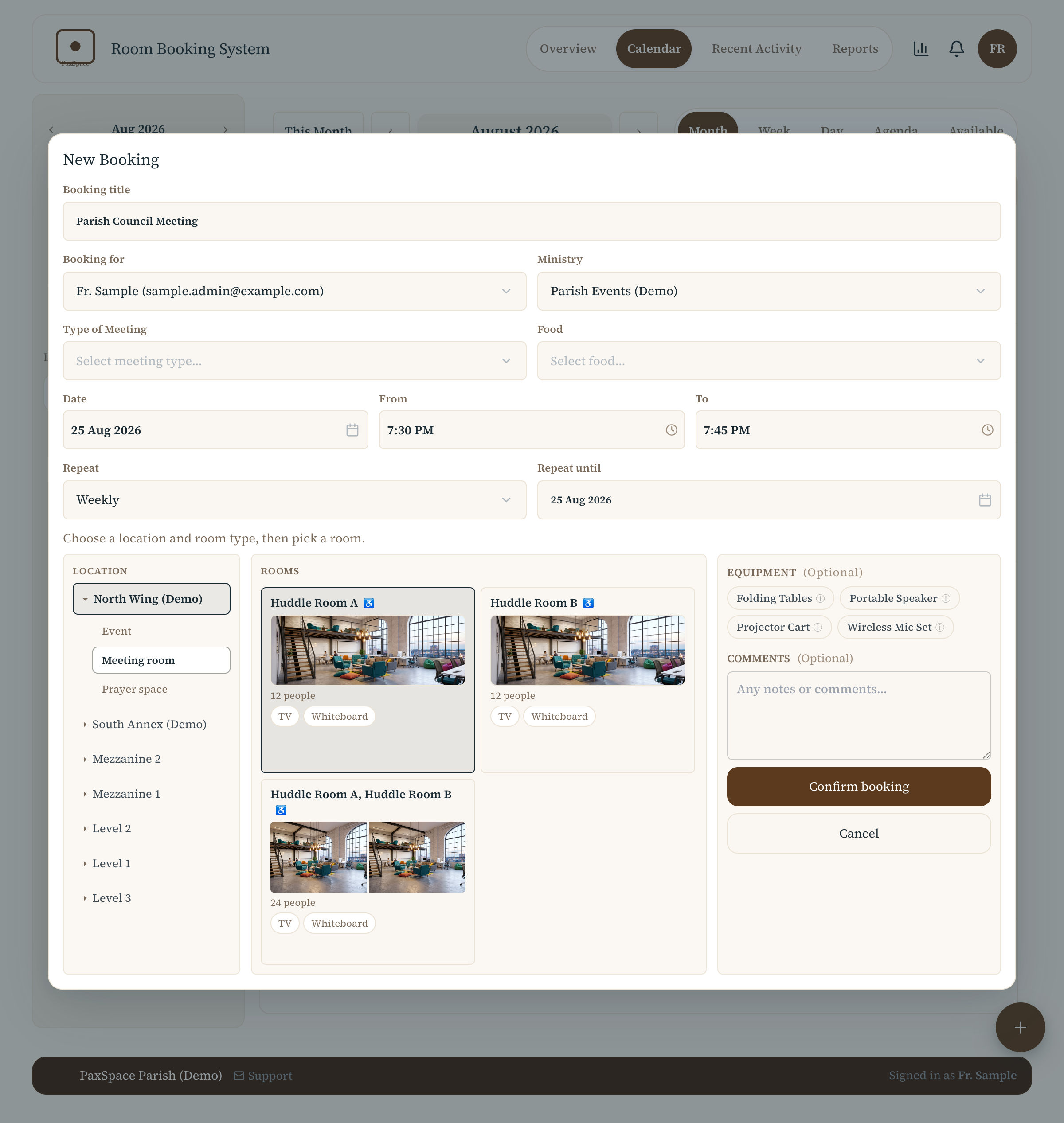
New booking form with room, time, and recurrence options
Book a room in seconds
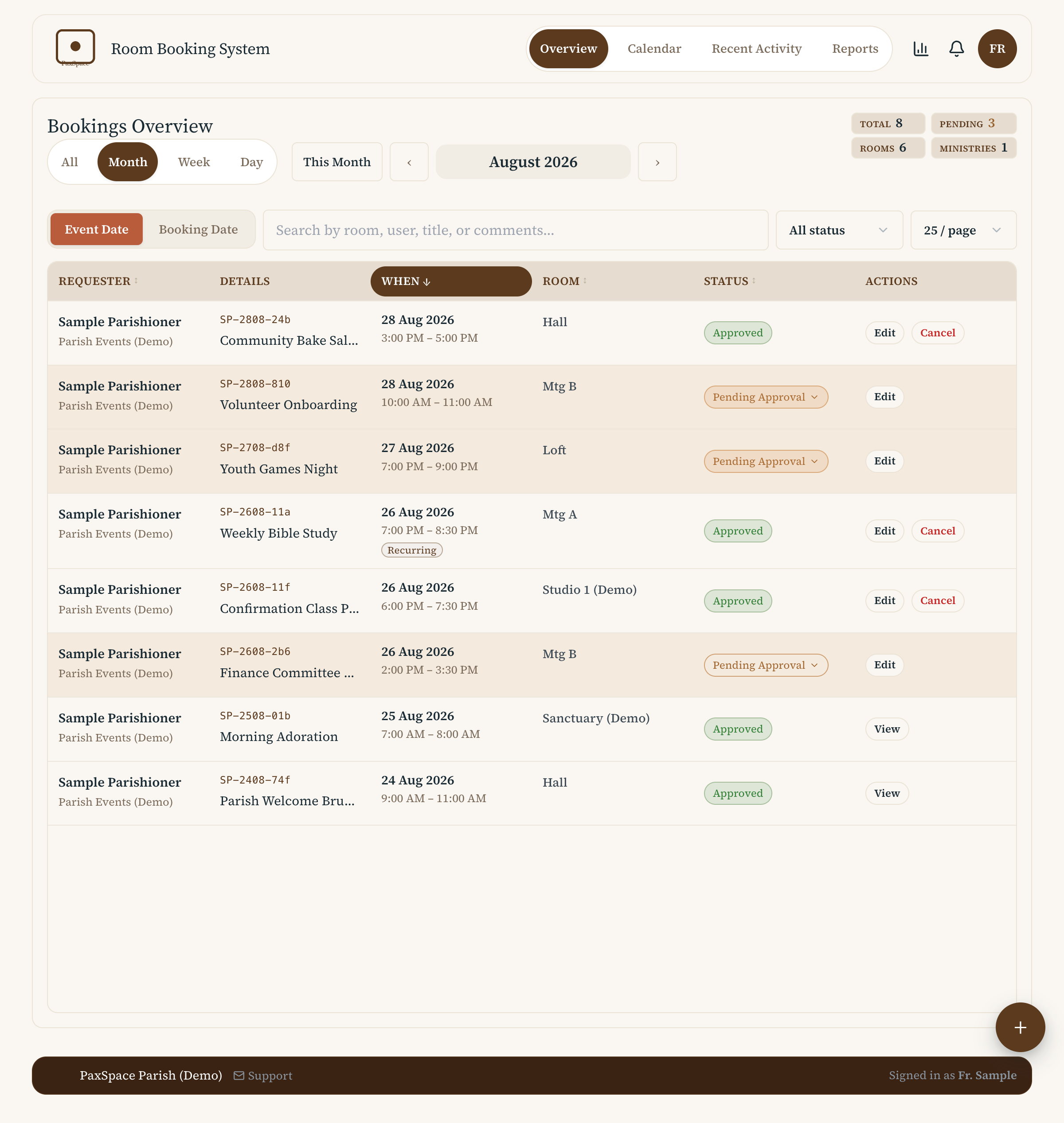
Admin overview table with pending approvals and status pills
Approvals & overview
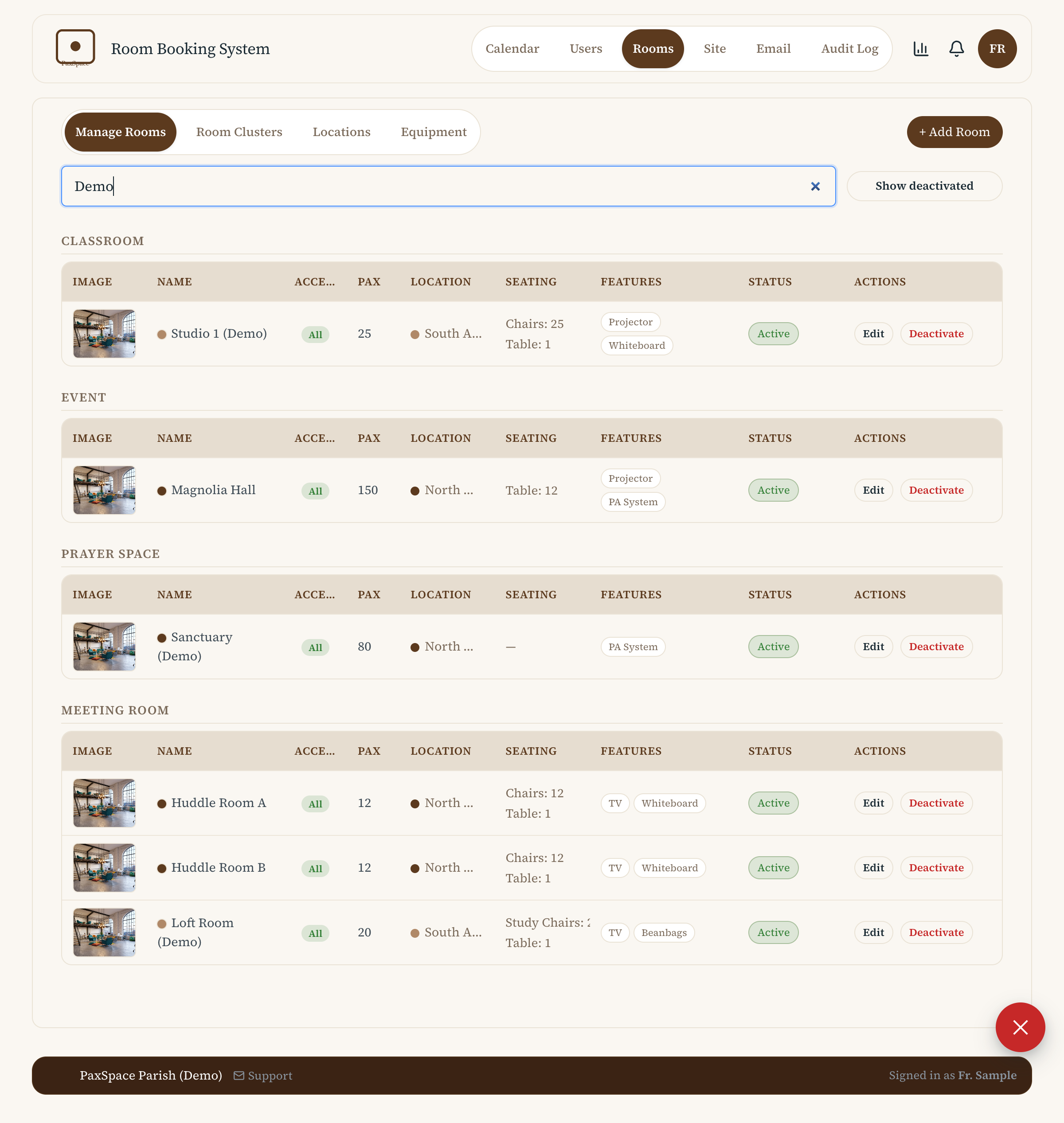
Room catalogue with clusters, capacity, and feature tags
Rooms & clusters

Built for shared-space scheduling

📅

Full Calendar

Month, week, day, agenda, and availability views, coloured by room, cluster, or location.

🔁

Recurring Bookings

Weekly and repeating bookings with scoped edits and cancellations, instance, future, or whole series.

✅

Approval Workflow

Bookings can require approval, with a status pill, diff view, and notification back to the requester.

🏢

Rooms & Equipment

A full room catalogue with clusters, capacity, accessibility, and bookable equipment, independent of any one room.

👥

Roles & Access Control

Admin, superuser, and user roles, with per-page access configurable from a single settings screen.

🔐

Privacy by Design

Names, emails, mobile numbers, and booking comments are encrypted at rest, with a full audit log of changes.

🏠

Built for Self-Hosting

Designed from the ground up to run on your own server, no third-party hosting or accounts required, your data stays on your infrastructure.

🔑

Sign In with Google

Gmail SSO support, so parishioners and staff can sign in with an existing Google account instead of another password to manage.

Full feature list

Booking & Scheduling
Bookings Create, edit, and cancel bookings, including recurring series with scoped instance, future, or series edits, an approval workflow, before and after diffs, and a mandatory reason when cancelling.
Calendar Month, week, day, agenda, and available views, coloured by room, cluster, or location, with business hours shading, buffer bars, and special day indicators.
Special Days Closed or partial day overrides shown right on the calendar, so you can see holidays and closures before you try to book.
Opening Hours Booking is only offered within each day's published opening hours.
Spaces & Equipment
Rooms A full catalogue with category, seating counts, accessibility flag, location, and feature tags, so you can find a space that actually fits.
Locations Colour coded locations used across the calendar and filters, to make browsing multiple sites easier.
Equipment Bookable independently of any one room, with live availability shown alongside your booking.
Staying Informed
Notifications An in app notification centre with unread badges, direct links to the relevant booking, and read or archive actions.
Email Updates Email confirmation when a booking is submitted, approved, rejected, cancelled, or expired.
Sign In Sign in with an existing Google account, or with an account set up by your parish or organisation.
Administration & Security
Access Control Per admin page control over whether superusers can access it, audit logged, taking effect for active sessions without a relogin.
Users & Ministries List, create, edit, and deactivate users, with ministry assignment and CSV import and export.
Overview Admin bookings table with sortable columns, date range filters, KPI strip, and comment or reference search.
Reporting & Export Summary KPIs and breakdowns by room and ministry, with CSV, JSON, and print friendly export.
Audit Log Date grouped, structured before and after diffs for bookings, settings, users, and access control changes.
Site Admin Settings for parish name, branding, booking rules, notifications, and date or time formats, with a compact or comfortable layout toggle.
Security Personal data such as names, emails, mobile numbers, and booking comments encrypted at rest, with versioned key rotation, plus JWT sessions with hashed and rotated refresh tokens.
Self-Hosting Runs on your own server as a single deployable instance per organisation, with no third party hosting or accounts required.

Currently a private release

PaxSpace is not publicly hosted. It's built and deployed for specific parishes and organisations. There's no public sign-up or app link on this page.

That's by design as much as it is a limitation: PaxSpace is built with private, self-hosted deployment in mind, each parish or organisation runs its own instance, on its own infrastructure, with its own data.

If you're looking after room or equipment bookings for a parish, church, or shared community space and this sounds useful, get in touch and we can walk you through a demo.

Enquire

Get in touch

Interested in PaxSpace for your parish or organisation, or have questions about how it works? Send an email and we'll get back to you.

contact atpeaz com

Frequently asked

Can I try it myself?

Not as a public sign-up right now. It's deployed per organisation. Email us and we can arrange a walkthrough or demo access.

Is my data private?

Yes. Personal data (names, emails, mobile numbers, booking comments) is encrypted at rest, and every change is captured in an audit log.

Can it be customised per organisation?

Branding, opening hours, booking rules, room clusters, and email templates are all configurable per deployment.